
How I listen to music and podcasts on an iPod shuttle in 2026.
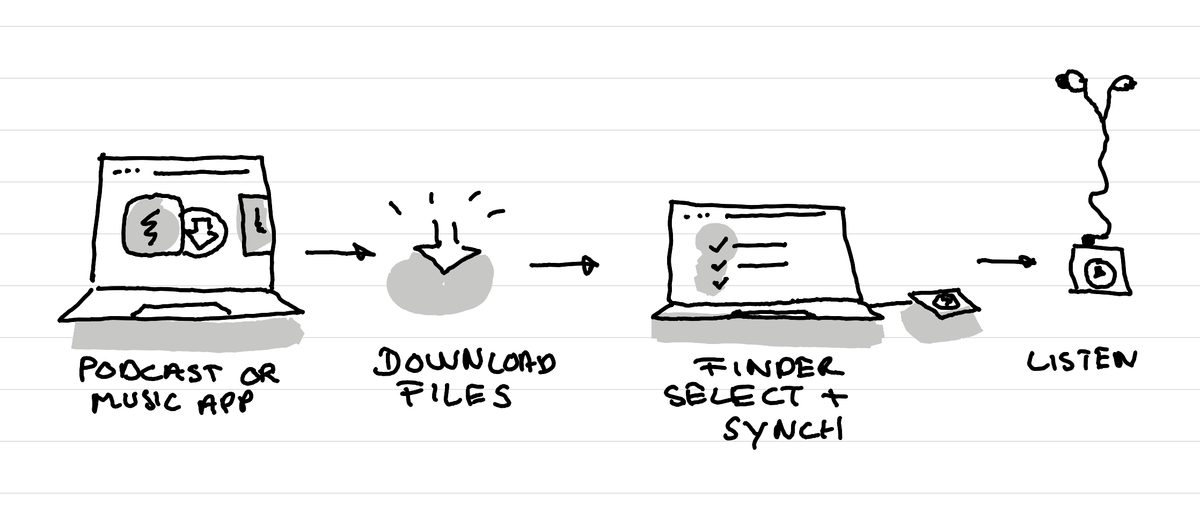
In short: I sync via the finder window of the iPod my music and podcasts every few days. For it to work I first have to download the Podcasts and music to my mac with the official Mac apps.

Context
I've decided to live without a smartphone to set an example for my son until at least he is an adult.
Why I bought an iPod
Not having a smartphone anymore, I still want to listen to podcasts or music, especially when I'm running. I looked for MP3 players, but they all seemed to have terrible interfaces, crappy hardware or a ton of features I don't need. No I don't want a Android enabled audio player.
So I bought an old iPod. I went for an old iPod shuffle, the square one, because it's super lightweight for running and I could find it at an okay price in second hand.
How I get podcasts on it
After many years not using anymore an iPod I had to get used again to the way an iPod works. And the trick is to simply understand that to synch something you need to first have downloaded it on your Mac, only then you can synch it.
Still it's surprinsing how well this setup still works today! I open my podcast app on the Mac, download the episodes I want to add, then go in the Finder, open the iPod window and from there select the episodes I want to listen to and remove the ones I don't want anymore on the device.
I have to admit that for a bit of time I totally forgot that I first had to download in full the podcasts locally before being able to put them on the iPod hahah. So I had a few days where I was wondering why I saw a show in the Podcast app on my Mac but I couldn't synch it.
How I get music on it
For the music it's the same thing, just that you pass by Apple Music and not the podcast app to download stuff. Yeah that's logical.
The Airpods issue
I have airpods since many years. But the iPod doesn't have bluetooth. It came with very crappy headphones, so first I decided to buy some second hand headphones. That didn't go as well as I wished, the sound was aweful or to install them on my ears I had to place them in a very specific way which took ages.
So I tried instead to buy a bluetooth adapter. This worked roughly for a time. Yet the bluetooth connexion strangely would break for a tenth of a second repeatidly in the middle of podcasts, but not when I listening to music. And suddenly it just stopped working.
Now I just bought some basic in ear Sony headphones that are wired, and they just work fine. I have them attached to the iPod at all times. And at least they are a good fit, have a good enough sound, were cheap, and are comfortable when running.
What would I change
I have a bit on an ambivalent approach with the iPod shuffle. I really like how small it is. But one thing sucks in it, choosing shows or moving fast to a later place within a show. You can do both, but it's just longer when you don'y have a screen.
So I might go for a slightly bigger iPod nanon that has a tiny screen just to be able to more easily select albums or shows.
But for now this setup is good enough. I have something to listen to while I run, or clean the house.
This article was written on a refurbished Remarkable II tablet with a type folio cover. The illustration was made drawn by hand on the same tablet.
Related articles
Why I've stopped looking at the number of people registered for events?
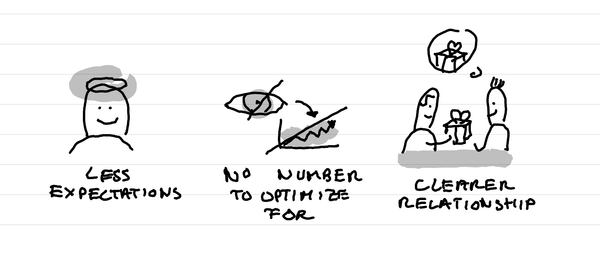
In short: it creates less expectations, it takes out a number that I can fight to optimize for, it makes clearer in the relationship that this is not a lead magnet and naturally selects participants who are really motivated.
Why I love tiny one day retreats with train and alps?
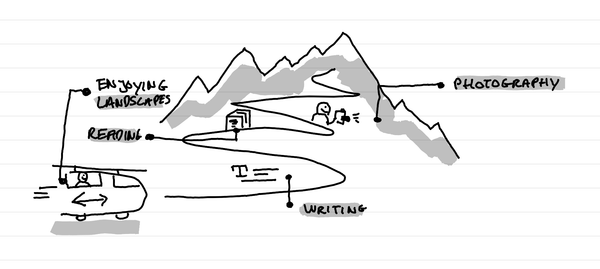
In short: it's a great time to write, read, enjoy landscapes and come back to a photography practice. It's a time of calm solo presence that recharges batteries.
How I kept my gratitude journal visual when moving from Notion to Remarkable?
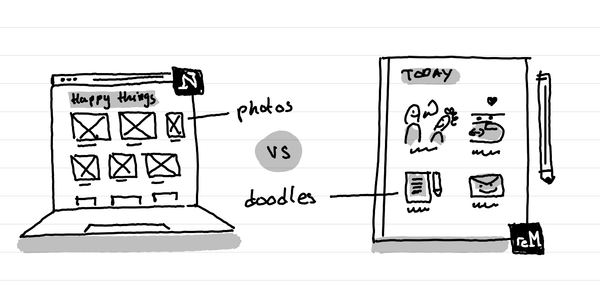
The short answer: instead of having photos and screenshots, I now have little doodles as a visual summary of my day.