
For whom do I recommend a Remarkable Tablet instead of an Kindle, iPad or other eink tablet?
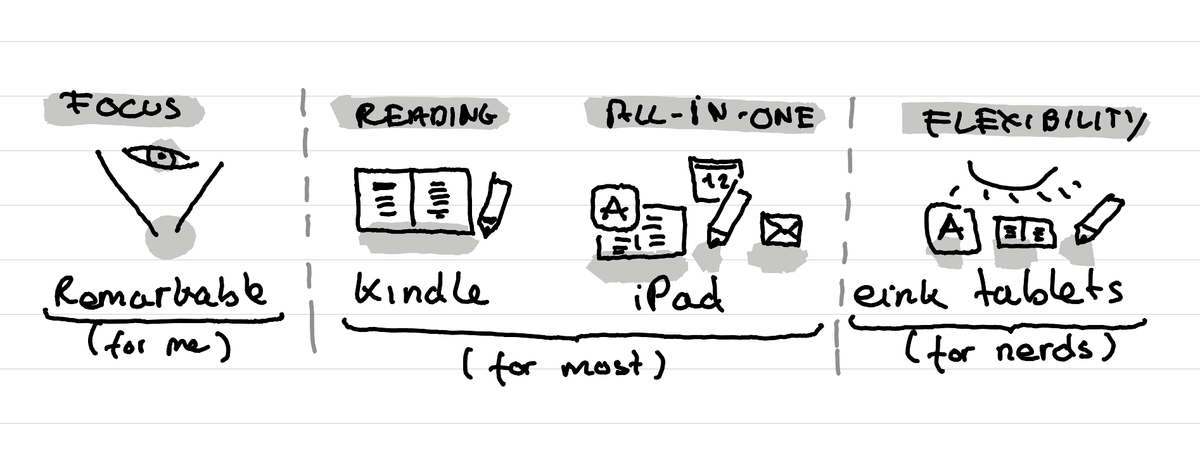
In short: Get a Remarkable if you want focus and limitation. Get a Kindle for easy access to books. Get an iPad if you want a computer that does it all. Get another eink tablet if you want more flexibility that the Remarkable.

The other day a good friend asked me if I would recommend to her a Remarkable tablet or a Kindle, or another eink tablet. So as I already gathered my thoughts for her, I'm now writing it down here too for others who might have the same question.
The Remarkable is great if you want focus and limitations
For me the Remarkable tablets and the Punkt MP02 phone play in the same league. These are devices that have extreme limitations to help you be super focused.
The Remarkable tablet, can't do much, but what it does, it does it really well. It's great for reading and annotating documents. And it's great for drafting texts (by hand or with a keyboard). Plus if you like to sketch a few simple illustrations or processes it does that really well too.
But it's not the best reading device for books, like the Kindle is. Because these days when you buy ebooks they have some stupid limitations that make you them be able to read them only on specific devices.
It's also not the best productivity tool. You can't check your emails. Can't check your calendar, etc. For me that's part of the appeal. For others that's a problem. For that an iPad is great.
It's also not flexible. You can't add tools or apps to it, like you can with many other eink tablets.
But which one should I buy?
I recommend that you buy a refurbished one. That's what I did and I'm super happy with it. And you still get the same warranty than the new ones, only for way cheaper, because the Remarkable tablets are expensive.
Then for the model, I'd say the Remarkable tablet II is still the most inexpensive and good enough. I don't feel there are many moments where you need colors or to be able to read in the night.
But if you need that then the Remarkable Paper pro is for you.
What about the small one? I'm personally not convinced, I find it too big to fit in a pocket, so don't really see the appeal.
The Kindle Scribe is great if you want easy access to books
If you want to read a lot of books, then the Kindle Scribe is kind of nice. It allows you to buy books very easily from Amazon, and it seems to have some decent note taking features.
Personnally it's years that I avoid Amazon as I feel it's not a company that is very respectful of its workers. But that's a personal ethic decision.
The iPad is great if you want a computer
The iPad is also great for books as you can have access easily to all the books via Apple Books or via the Amazon Kindle apps. Annotation works really well too. And it's basically a computer. You can see your emails, calendar, sync files, get Microsoft teams on it, etc.
Personally, I get a bit lost in the possibilities and then might end up to easily watching a Youtube movie or Netflix show instead of writing. But again, that's me.
Other eink tablets are great if you want flexibility while keeping a less distracting screen
There are many other eink tablets out there, which offer way more flexibility than the Remarkable tablets. For example:
- Supernote (was recommended to me by readers)
- Boox tablets
- Daylight computer (recommended by Matt Mullenweg, one of the cofounders of Wordpress)
- etc.
Many of those run on Android, and come with the possibility to install full Android apps. That means you can have the Amazon Kindle app, your favorite note taking or project management app like Notion, your emails, etc. And all of this while having an eink screen which allows you less easily to watch movies (they suck on such a screen), work better in daylight and have often very long battery life.
Personally, at this stage I'm still happy to do "computer stuff" like emails, calendars, etc. on my Mac but keep the thinking, learning and writing tasks on a device that has less possibilities.
This article was written on a refurbished Remarkable II tablet with a type folio cover. The illustration was made drawn by hand on the same tablet.
Related articles
Why I've stopped looking at the number of people registered for events?
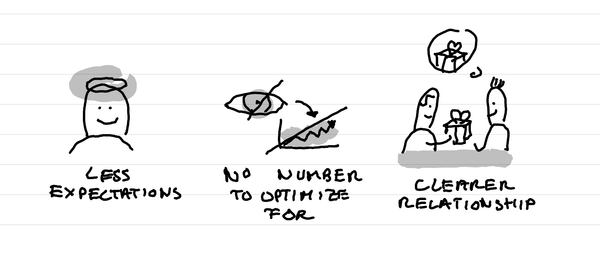
In short: it creates less expectations, it takes out a number that I can fight to optimize for, it makes clearer in the relationship that this is not a lead magnet and naturally selects participants who are really motivated.
Why I love tiny one day retreats with train and alps?
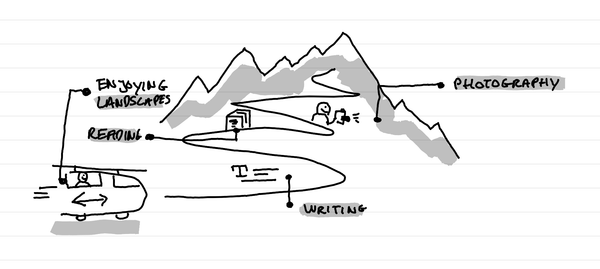
In short: it's a great time to write, read, enjoy landscapes and come back to a photography practice. It's a time of calm solo presence that recharges batteries.
How I kept my gratitude journal visual when moving from Notion to Remarkable?
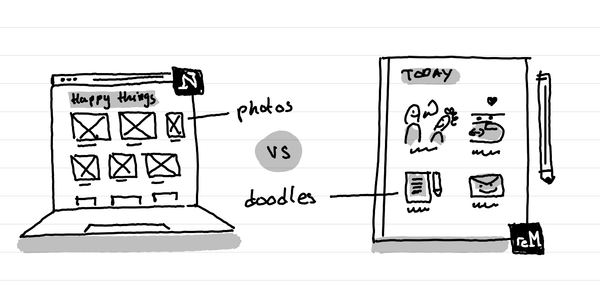
The short answer: instead of having photos and screenshots, I now have little doodles as a visual summary of my day.